Anki Addon
The Anki addon provides direct integration within Anki desktop, allowing you to generate flashcards from any text without leaving the application.
Installation
Method 1: AnkiWeb (Recommended)
Coming soon - will do this after cleaning up everything
Method 2: Manual Installation
-
Download the addon:
- Clone the repository or download the ZIP file
- Navigate to the
anki-addonfolder
-
Install in Anki:
- Open Anki desktop
- Go to
Tools > Add-ons - Click
Install from file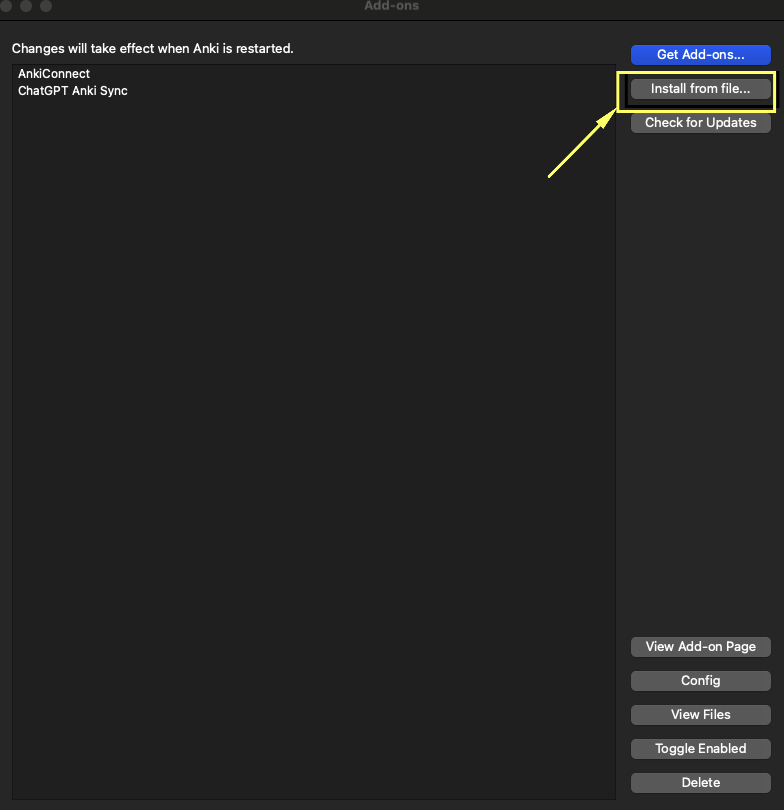
- select the
anki-addonfolder that you just downloaded/cloned - Restart Anki (Important)
-
Verify installation:
- Go to
Tools > Add-ons - Look for "Chat to Flashcards" in the list
- Ensure it's enabled
- Go to
Configuration
- Open Anki and go to
Tools > Add-ons - Select "Chat to Flashcards" and click
Config - Set your preferences:
- AI service (ChatGPT, Claude, Perplexity, etc.)
- API credentials (if required)
- Default deck name
- Card template preferences
Usage
- The browser extension has Export for anki addon which once you click will now automatically import them
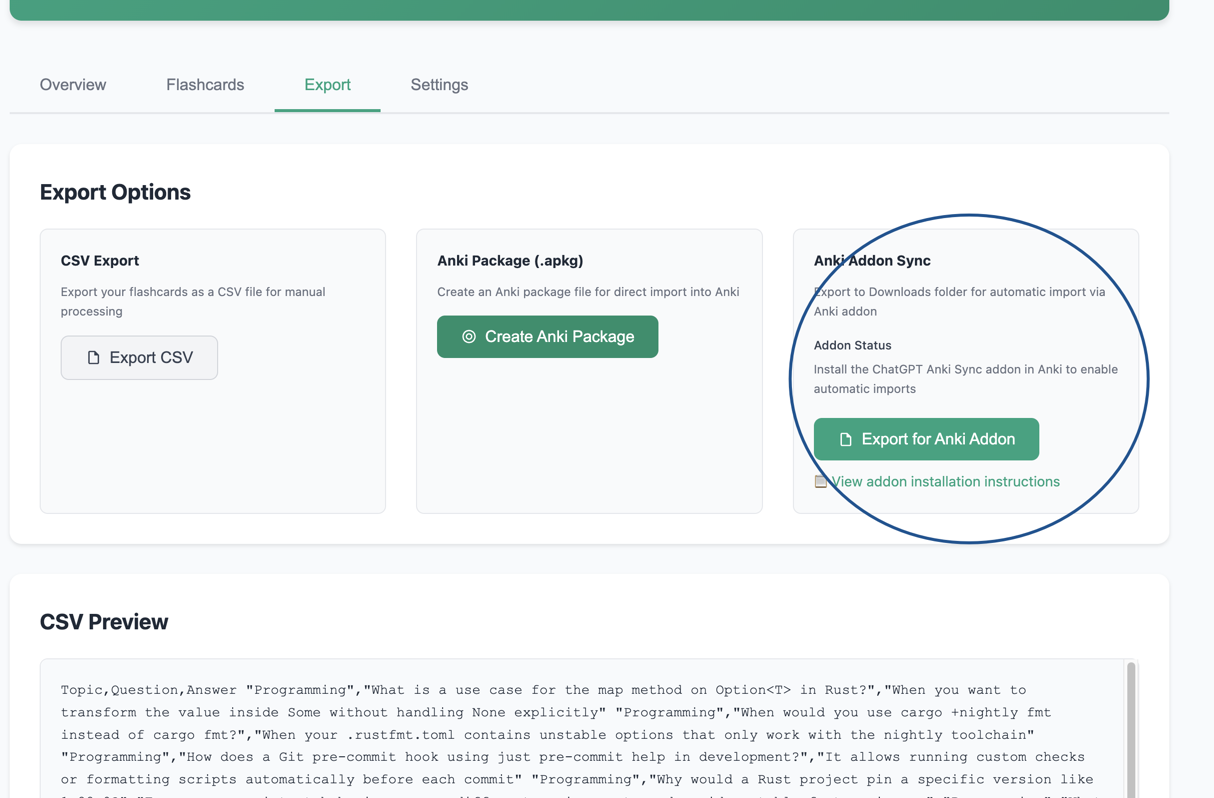
- Make sure anki is running in the background for this to work